FROM ENQUIRY TO COMPLETED JOB
Every stage has an owner, a status and a next action.
The same customer record carries the enquiry, quote, appointment, evidence, materials, completion and follow-up.
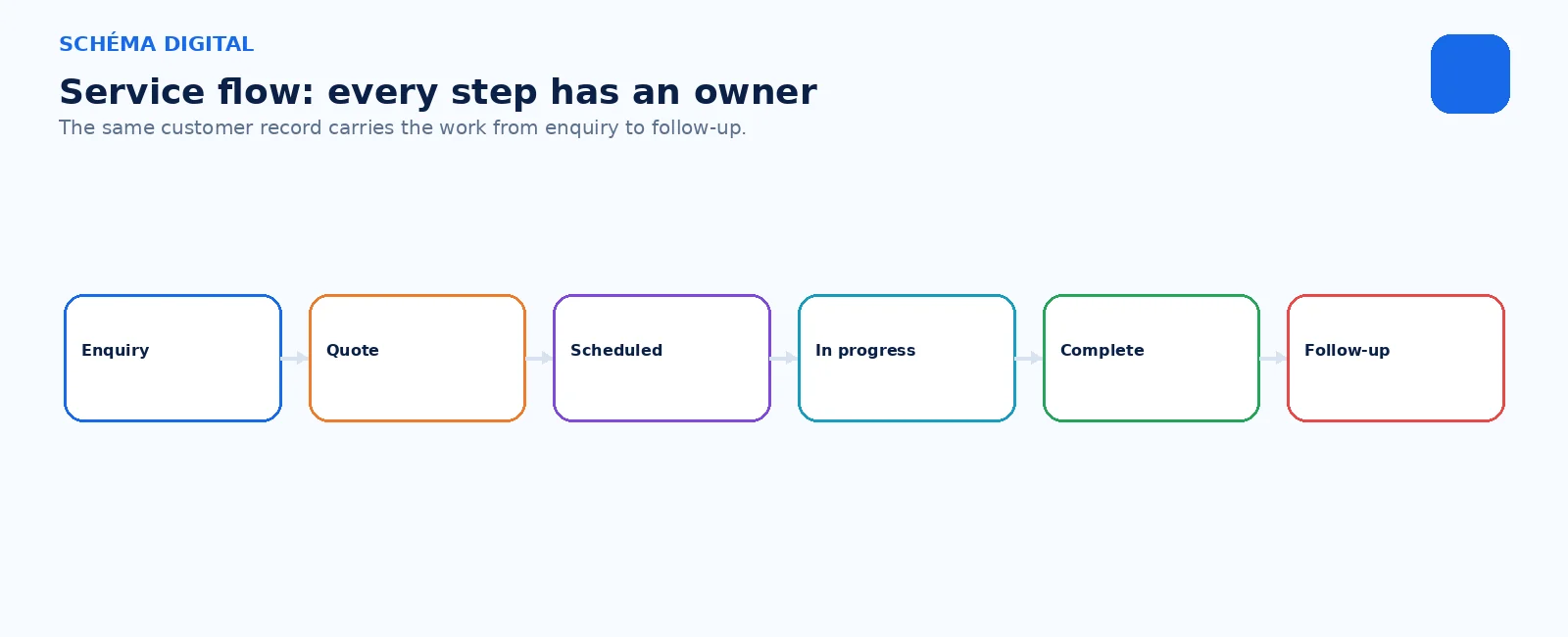

SCHÉMA SERVICE
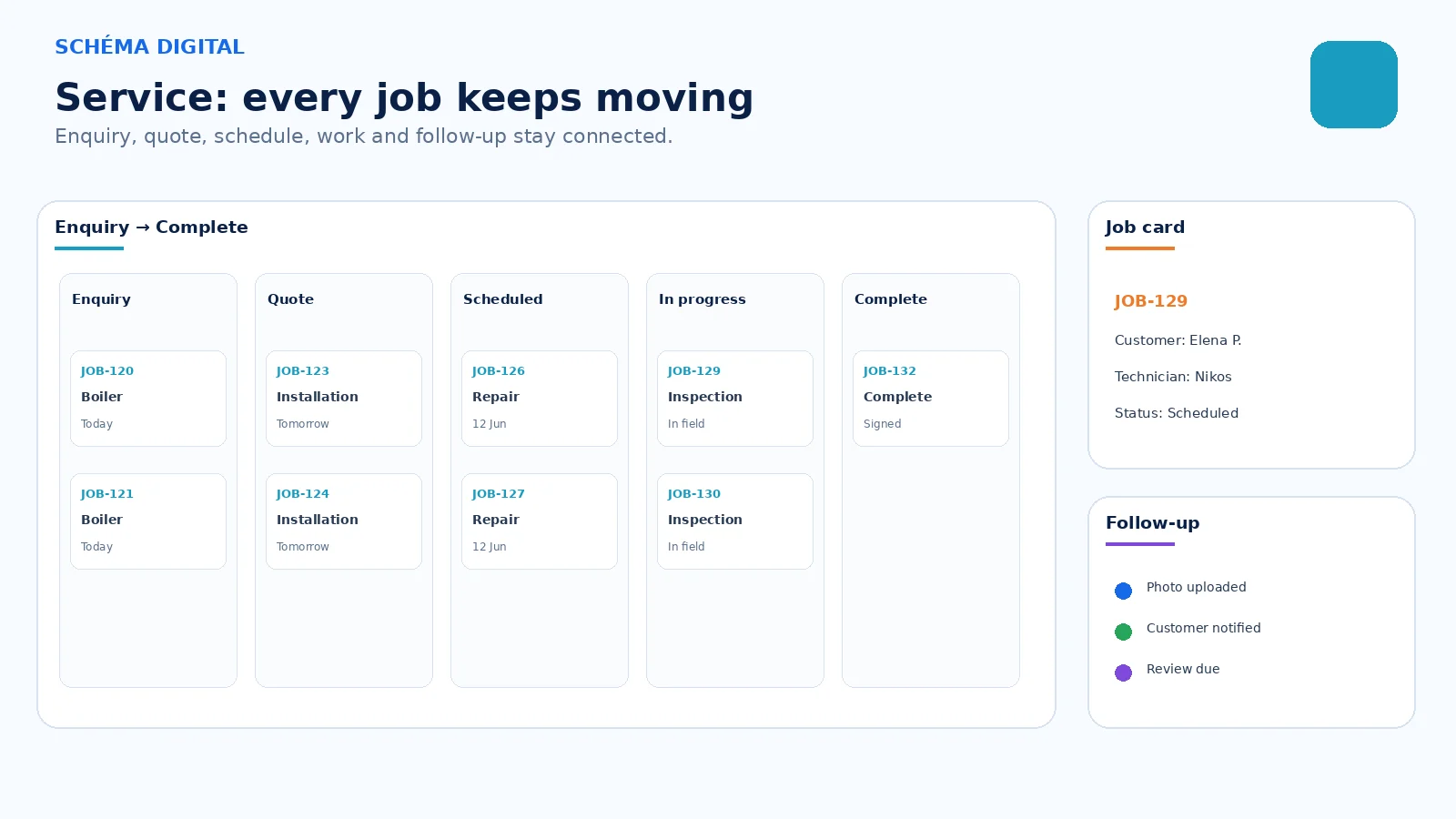
Schéma Service gives job-based businesses one place to receive enquiries, prepare quotes, schedule work, track status and preserve the full customer history.
FROM ENQUIRY TO COMPLETED JOB
The same customer record carries the enquiry, quote, appointment, evidence, materials, completion and follow-up.
THE JOB RECORD
01
Scope, price and customer decision stay attached to the work.
02
Photos, notes, files and used items remain with the job.
03
The team and customer can see what happened and what comes next.
BUILT FROM THE PLATFORM
Customers and Operations carry the job record. Website, Inventory and AI are added according to enquiry intake, materials and reporting needs.
SCHÉMA CORE
Websites
Customers
Operations
Inventory — optional
Schéma AI — optional
Websites · Customers · Operations · Inventory (optional) · Schéma AI (optional)
STARTING SCOPE
PHASE 1
CRM, enquiry intake and next actions.
PHASE 2
Add quotes, job cards, scheduling, files and status.
PHASE 3
Add customer portal, payments, automation, reporting and AI where useful.
JOB-BASED TEAMS
01
02
03
04
05
06
PRACTICAL QUESTIONS
No. Any business that manages enquiries, quotes, cases, jobs or follow-ups can configure the workflow around its own terminology.
A customer-facing status or portal can be added where it improves the service journey.
Yes, through the appropriate supported route and agreed provider. Regulated provider costs remain separate.
SCHÉMA DIGITAL
Start with customer and enquiry control, then add quotes, scheduling, job evidence, inventory or a client status route.